RBAC vs ABAC vs PBAC: Choosing the Right Data Access Control Model
Enterprise data environments have evolved beyond the capabilities of traditional access control. When your data spans Snowflake, Databricks, SAP, Salesforce, and Oracle—each with its own access paradigms—choosing the right control model isn’t academic. It’s the difference between data teams delivering answers in minutes or becoming bottlenecks for weeks.
This guide cuts through the architectural complexity of Role-Based Access Control (RBAC), Attribute-Based Access Control (ABAC), and Policy-Based Access Control (PBAC). We’ll examine implementation realities, performance implications, and maintenance overhead—with specific guidance for distributed, multi-platform data architectures and actual migration outcomes.
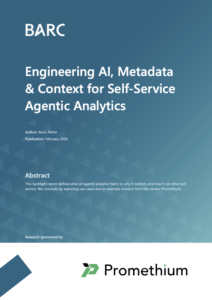
What does it take to build a production grade data analytics agent?
Read the BARC report about AI, metadata, and context written by Kevin Petrie.
Understanding the Three Access Control Models
RBAC: Role-Based Access Control
RBAC operates on a simple premise: assign users to roles, assign permissions to those roles. A “Financial Analyst” role grants access to financial datasets. A “Marketing Manager” role unlocks campaign performance data.
Core architecture: Users → Roles → Permissions. Access decisions happen through direct lookup: does this user have the required role? Policy evaluation completes in under 1 millisecond because it’s string matching against a predefined matrix.
Implementation characteristics:
- Setup time: 2-4 weeks for deployments under 50 roles
- Policy volume: 50-200 statements for enterprise deployments
- Performance: Linear degradation as role count increases, typically acceptable up to 500-1000 roles
The bottleneck isn’t performance—it’s role explosion. Organizations start with 10-15 core roles but expand to 50-200+ within 2-3 years according to industry research on enterprise IAM deployments. Each new business requirement spawns additional roles: “Senior Financial Analyst,” “Financial Analyst – EMEA Only,” “Financial Analyst – M&A Projects.”
ABAC: Attribute-Based Access Control
ABAC evaluates access based on attributes rather than pre-assigned roles. Attributes include user properties (department, seniority level), resource properties (data classification, owner), environmental context (time of day, location, network security posture), and action context (read vs. export).
Policies become conditional rules: “Grant access if user.department == ‘Finance’ AND resource.sensitivity == ‘high’ AND time.hour < 18.”
Core architecture: Policies are written as rules evaluated against attributes pulled from multiple systems—HR directories, data catalogs, real-time context services. Access decisions require 5-15+ database queries per check, leading to 10-100ms evaluation latency depending on policy complexity and attribute lookup time.
Implementation characteristics:
- Setup time: 6-12 weeks for attribute schema design alone
- Policy volume: 500-5000+ statements depending on organizational complexity
- Integration burden: Must connect to HR systems, directory services, resource metadata stores, and real-time context providers
Cisco research on ABAC deployments found that policy bugs occur at 3-4x the rate of RBAC due to increased complexity. However, ABAC scales better once implemented—handling thousands of unique access patterns without role proliferation.
PBAC: Policy-Based Access Control
PBAC is often used interchangeably with ABAC in practice. Technically, PBAC refers to any access control driven by explicit policies—which could be role-based policies or attribute-based policies.
Most modern PBAC implementations are actually ABAC-based, with additional policy management capabilities: versioning, audit trails, policy-as-code frameworks, and policy templates to reduce authoring complexity.
For this comparison, we’ll treat PBAC and ABAC as closely related, with PBAC representing the policy management layer on top of attribute-based logic.
When Each Model Is Appropriate
RBAC Succeeds When
RBAC fits organizations with stable hierarchical structures and clear job-function-based permissions. Healthcare organizations with defined Physician, Nurse, and Administrator roles benefit from RBAC’s simplicity. Financial institutions with Trader, Risk Officer, and Compliance Officer roles that map cleanly to regulatory requirements see straightforward implementation.
Ideal organizational characteristics:
- Fewer than 100 distinct access patterns
- Low role churn (employees rarely change functions)
- Regulatory compliance based on job titles rather than data sensitivity
- Small to medium deployments under 1,000 users
Maintenance overhead: 3-5 hours per week for 50-100 role organizations, primarily handling role audits, approval workflows, and periodic cleanup.
RBAC breaks when context matters. If Marketing users need access to reports only for their specific campaigns, RBAC requires creating role variants: “Marketing Manager – Campaign A,” “Marketing Manager – Campaign B.” Role count explodes. When access depends on external factors like time of day or network security posture, RBAC can’t adapt.
ABAC Excels When
ABAC handles dynamic, matrix organizations where the same user needs different access based on context. Cloud platforms like AWS, Azure, and GCP use native ABAC because their access patterns depend on resource tags, principal attributes, and request context.
Ideal organizational characteristics:
- Context-dependent access requirements
- Multi-tenant environments like SaaS platforms
- Distributed data ownership across teams
- Need for fine-grained, real-time policy adjustments
- Regulatory requirements based on data sensitivity, not just user role
Enterprise data lakes exemplify ABAC use cases: “Access data if department owns it OR user has explicit exception AND risk score below threshold.” Financial institutions use advanced ABAC for derivatives trading: “Trader can access portfolio data if seniority exceeds 5 years AND real-time risk limit not exceeded AND outside trading halt hours.”
Maintenance overhead: 15-40 hours per week for enterprise deployments, covering attribute governance, policy updates, conflict resolution, and debugging. The overhead shifts from managing role assignments to ensuring attribute accuracy and policy correctness.
ABAC becomes unmaintainable when attribute schema isn’t well-governed. Inconsistent or outdated attributes cause policy failures. Undocumented policies hide business logic. When policy evaluation latency becomes critical—streaming scenarios requiring sub-100ms decisions—ABAC’s overhead becomes problematic.
The Trade-off Matrix
| Factor | RBAC | ABAC | Winner |
|---|---|---|---|
| Setup speed | 2-4 weeks | 6-12 weeks | RBAC |
| Performance | <1ms | 10-100ms | RBAC |
| Scalability (users) | Good to 10k | Good to 100k+ | ABAC |
| Scalability (rules) | Breaks at ~200 roles | Handles 1000s of attributes | ABAC |
| Maintenance as org grows | Exponential cost | Linear to sublinear | ABAC |
| Real-time context | Not supported | Core feature | ABAC |
For distributed data environments—where context from multiple systems determines access—ABAC provides the flexibility needed. But that flexibility comes at the cost of implementation complexity and operational overhead.
Migration Challenges and Realities
Project Scope and Timelines
Gartner research on enterprise access control migrations analyzed 40+ organizations migrating from RBAC to ABAC. Average timeline: 12-18 months. 70% of projects extended beyond planned timelines. Average cost for medium enterprises (500-5000 employees): $2M-5M.
Why migrations take so long:
Attribute Schema Design (3-4 months): Organizations must inventory all attributes currently implicit in RBAC roles, rationalize and standardize them, and design governance models. Common finding: 40-60% attribute overlap goes unnoticed in RBAC. What seems like a simple “department” attribute reveals inconsistencies—Marketing calls it “Marketing,” Finance calls it “FIN,” HR systems use “MKT.”
Integration and Synchronization (4-6 months): Connecting to HR systems for user attributes, asset management for resource attributes, and building attribute synchronization infrastructure. 60% of delays stem from attribute data quality issues—inconsistent formats, missing values, stale data.
Policy Authoring and Translation (3-4 months): Mapping existing RBAC roles to attribute conditions isn’t one-to-one. RBAC often hides complexity that only surfaces during ABAC migration. Typical finding: 1 RBAC role maps to 3-5 ABAC policies because the role conflated multiple distinct access patterns.
Testing and Validation (2-3 months): ABAC policies are harder to test systematically. Requires attribute data quality validation. Access denial incidents during pilot phases are common—valid users suddenly can’t access data because attributes weren’t synchronized correctly.
Migration Failure Modes
Failure or rollback rates from attempted RBAC-to-ABAC migrations:
- Partial rollback or hybrid implementation: 45-55%
- Complete rollback to RBAC: 10-15%
- Successful full migration: 35-45%
Why rollbacks happen:
Performance issues (35% of cases): Policy evaluation latency exceeded acceptable thresholds. One healthcare provider rolled back from ABAC when EHR access times increased from under 200ms to 500-800ms—unacceptable for clinical workflows where every second matters.
Attribute governance failure (40% of cases): Attribute data became stale, policies started blocking legitimate access. A financial institution’s ABAC policies relied on “department” attributes. During an organizational restructuring, department codes changed overnight. Policies broke across the board, locking users out of critical systems.
Organizational resistance (25% of cases): Business teams rejected the complexity of attribute-based approval processes. What seemed elegant architecturally felt burdensome operationally. Managers accustomed to simple role assignment requests now faced multi-step attribute verification workflows.
Key insight: Failures are rarely technical. They’re operational—insufficient change management and governance model design.
Migration Patterns That Work
Successful migrations follow specific patterns:
Parallel running: Run ABAC alongside RBAC for 6-12 months rather than switching overnight. Use ABAC for new policies while grandfathered policies remain RBAC. Allows confidence-building before cutover.
Phased rollout by data domain: Migrate highest-complexity domains first where ABAC provides most value. Common sequence: non-sensitive data → financial data → intellectual property and secrets. Allows policy patterns to stabilize before moving to higher-risk domains.
Strong attribute governance upfront: Invest 20-30% of project budget in attribute definition and data quality. Establish attribute ownership with business owners, not IT. Organizations that skip this step have 5x higher failure rates according to implementation post-mortems.
Performance in Distributed Data Environments
The Latency Multiplier Effect
In distributed systems, policy evaluation latency compounds. Single policy engine: 10-50ms. Network roundtrip to attribute service: +5-20ms. Multiple attribute lookups across federated data sources: +50-200ms. Total: easily 100-300ms per access decision.
This becomes critical when streaming data pipelines require sub-100ms decisions, database queries must return results under 1 second, or multi-stage data processing chains accumulate latency at each hop.
RBAC in Distributed Scenarios
RBAC’s advantage in distributed systems: role assignments can be cached aggressively. Invalidation is infrequent—users don’t change roles multiple times daily. Typical latency: 1-5ms cached, 20-50ms when network lookup required.
Stripe’s infrastructure access uses RBAC with role assignment caching at 15-minute TTL, reducing latency to under 2ms for 99% of checks. Predictable, low overhead. But can’t adapt to real-time context changes.
ABAC in Distributed Scenarios
ABAC faces caching challenges. Attributes change frequently—caching requires careful invalidation strategy. TTL-based caching risks stale access decisions (security risk). Event-based invalidation requires event infrastructure (operational complexity).
Attribute lookup latency varies by source:
- User attributes from LDAP: 20-100ms
- Resource attributes from database: 50-500ms
- Real-time context (location, device posture): 200-1000ms
Typical latency: 50-200ms with aggressive caching, 500-2000ms without.
Netflix migrated to ABAC for data access but maintains attribute cache with 5-minute TTL. Reports 95th percentile latency of 120ms. Accepted tradeoff: ABAC provides dynamic access for 30,000+ microservices where role-based model would require 5,000+ roles—unmaintainable.
Optimization patterns:
Attribute caching with smart invalidation: Cache stable attributes (department, team membership) with long TTL. Short TTL for volatile attributes (risk score, location). Typical configuration achieves 95% hit rate on cached attributes.
Push vs. pull models: Pull model has policy engine query attribute sources (simpler, slower). Push model has attribute sources push changes to policy engine (faster, more operational overhead). High-performance deployments use hybrid approaches.
Policy pruning: Index policies by resource type, reducing evaluation set. Example: Evaluate 50 relevant policies instead of 500. Can reduce evaluation time by 60-75%.
Performance Benchmarks
Cisco Security research on enterprise deployments provides comparative data:
| Scenario | RBAC | ABAC |
|---|---|---|
| Single policy engine, local attributes | <1ms | 10-30ms |
| Network roundtrip required | 20-50ms | 100-300ms |
| Distributed, multi-source attributes | 50-100ms | 500-1500ms |
| Cached attributes | <5ms | 30-80ms |
AWS IAM documentation reports policy evaluation around 50ms for typical cloud deployments. With condition evaluation (attribute-based): +20-30ms. Organizations rarely report customer-facing latency issues below 200ms threshold.
Real-World Migration Case Studies
Financial Services: Successful ABAC Migration
A mid-sized investment bank (~2,000 employees) faced role proliferation with 180+ roles. Business requirement: “Senior traders can access derivatives portfolio if risk limit not exceeded.” Previous solution required manual approval workflows—slow and error-prone. Role-based workaround would require 50+ new roles.
Migration approach: 18-month project with parallel running. Built attribute schema covering user seniority level, current portfolio risk, trading limit, and time-of-day restrictions. Implemented 250 ABAC policies replacing 180 RBAC roles. Kept RBAC for non-trading access; ABAC for trading systems only—hybrid model.
Outcomes: Policy evaluation latency 50-80ms (acceptable; access decisions not on critical path). Administrative overhead reduced from 15 hours weekly to 8 hours (70% reduction in role management, offset by 5 hours weekly attribute governance). Compliance incident rate dropped 60% because policies now audit-trail trading conditions, not just role access.
Success factors: Limited scope to high-value domain first. Invested heavily in attribute governance upfront. Maintained hybrid model rather than rip-and-replace.
Healthcare: Rollback to RBAC + Targeted ABAC
A large healthcare network (~8,000 employees, 15 hospitals) attempted full ABAC migration. Data sensitivity required HIPAA compliance. Initial ABAC rollout broke critical workflows.
Problems encountered: EHR access latency increased from 200ms to 700ms—unacceptable, slowing clinical workflows. Attribute data quality issues: physician department attributes were stale; staff changes weren’t synced for 2-4 weeks. Over-engineered policies with 8-10 conditions each meant when one attribute was stale, access denied unexpectedly.
Outcome: Rolled back to RBAC for core EHR access within 6 months after 18-month ABAC attempt. Deployed targeted ABAC for non-critical systems where latency wasn’t constraint.
Current state: RBAC with 45 core roles for EHR and clinical decision support (<5ms evaluation). ABAC for research data access, analytics, and non-real-time workflows with 125 policies (60-90ms evaluation, acceptable for non-critical path).
Lessons: ABAC isn’t universally better. Latency-sensitive systems require careful consideration. Attribute governance for healthcare—with frequent staff changes and department reassignments—proved harder than anticipated. Hybrid model is valid.
SaaS Platform: Full ABAC Success
A B2B SaaS data analytics platform (~300 employees, serving 5,000+ enterprise customers) used RBAC within customer tenants. Growth challenge: customers needed fine-grained sharing policies like “Share this report with department X, but only for campaign Y.” RBAC model required creating hundreds of roles per customer—unscalable.
Migration approach (2021-2022): Identified ABAC opportunity in customer-facing access layer. Built attribute schema covering user role, department, report sensitivity, partner status, and data classification. Implemented XACML-based policy engine. Timeline: 12 months (faster than average due to greenfield-ish architecture).
Implementation details: Attributes sourced from customer directory integrations (Okta, Azure AD) and platform metadata. Attribute cache with 5-minute TTL for user attributes, real-time for resource metadata. Policy evaluation: 60-100ms typical; cached policies reduce to 20-30ms.
Outcomes: Customer-requested access scenarios 95% handleable through policy configuration versus 30% previously. Administrative overhead moved from per-customer support requests to self-service policy templates. 99th percentile latency 150ms—acceptable for API-based workflows.
Success factors: SaaS platforms have natural ABAC fit (tenant isolation, multi-attribute customer configurations). Clear attribute ownership and customer-facing documentation. Policy templates dramatically reduced complexity for non-technical users.
Decision Framework: Choosing Your Model
Consider these factors when selecting an access control model:
Choose RBAC when:
- Role count expected to remain under 100
- Access rules are stable with infrequent policy changes
- Organization has stable hierarchical structure
- Performance latency must be under 5ms
- Regulatory compliance is role-based (job titles)
- Team lacks experience with advanced access control
Choose ABAC when:
- Need context-dependent access decisions
- Role count already exceeds 150 or trending upward
- Organization is matrix-structured or highly distributed
- Resource attributes (sensitivity, owner, classification) matter
- Policies change frequently (monthly or more often)
- Multi-tenant or SaaS environment
- Regulatory requirement demands “principle of least privilege” with fine-grained verification
Choose Hybrid when:
- Different systems have different requirements
- Some paths are latency-critical (RBAC) while others can tolerate overhead (ABAC)
- Migrating gradually from RBAC without big-bang replacement
- Different domains have different complexity needs
Implementation Recommendations
For low-risk, quick implementation: Start with RBAC if you don’t have immediate drivers for ABAC. Plan for ABAC when role count approaches 100-150.
For organizations planning migration to ABAC:
- Invest 20-30% of project budget in attribute governance design before building policies
- Run parallel systems for 6-12 months—don’t rip-and-replace
- Pilot on non-critical systems first
- Plan for hybrid model long-term; not all systems benefit from ABAC
For distributed, performance-critical environments: Test ABAC latency early. If over 100ms is unacceptable, evaluate alternatives: push caching to edge, evaluate policies not attributes in real-time, use policy pruning to reduce evaluation set, or consider RBAC for critical path with ABAC for non-critical paths.
The right access control model depends on your organization’s specific constraints—not industry hype or theoretical purity. RBAC’s simplicity serves many organizations well. ABAC’s flexibility solves real problems in complex environments. Hybrid approaches acknowledge that different systems have different needs. Choose based on your architecture, performance requirements, and operational capacity—not what sounds most advanced.
Share This Article
SHARE THIS:



Share This Article
SHARE THIS: